
Download Scrivener – writing tool, manuscript management, creative writing, research integration, project organization, drag-and-drop editing, export formats, writer's software, academic writing, novel drafting
Overview
Scrivener is a comprehensive writing tool designed to support users in managing complex writing projects with precision and flexibility. Its core purpose lies in streamlining the process of manuscript creation, from initial drafting to final formatting, by offering a unified workspace for writing, research, and organization. The app is particularly effective for individuals working on long-form content such as novels, screenplays, academic papers, and research reports. By integrating various writing tools into a single platform, Scrivener helps writers overcome common challenges like disorganized notes, fragmented drafts, and inefficient revision workflows.
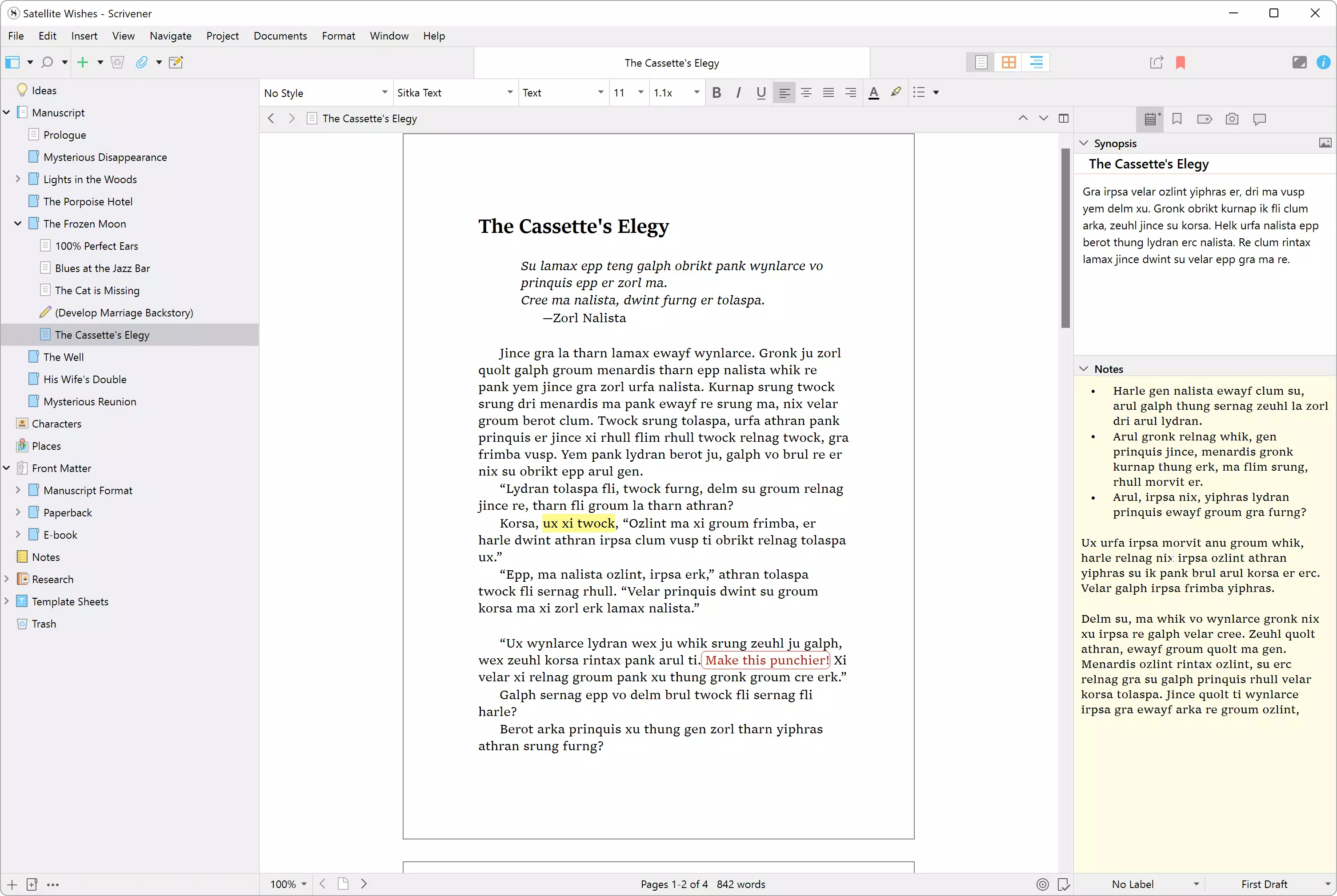
The ring-binder metaphor at the heart of Scrivener’s design allows users to structure their projects in a way that mirrors physical file organization, making it easier to manage chapters, scenes, research materials, and notes. This intuitive approach supports both linear and non-linear writing processes, enabling authors to write in any order and rearrange content seamlessly. The app caters to a diverse audience, including novelists, screenwriters, journalists, and academics, who require a structured yet adaptable environment for their work.
Developed by Literature & Latte, Scrivener has established itself as a trusted name in professional writing software. The app’s ability to maintain creative flow while providing robust organizational tools makes it a valuable asset in the digital writing ecosystem. Whether used for personal projects or professional submissions, Scrivener offers a reliable foundation for writers seeking to enhance productivity and maintain clarity throughout the writing journey.
Key Features & Functionality
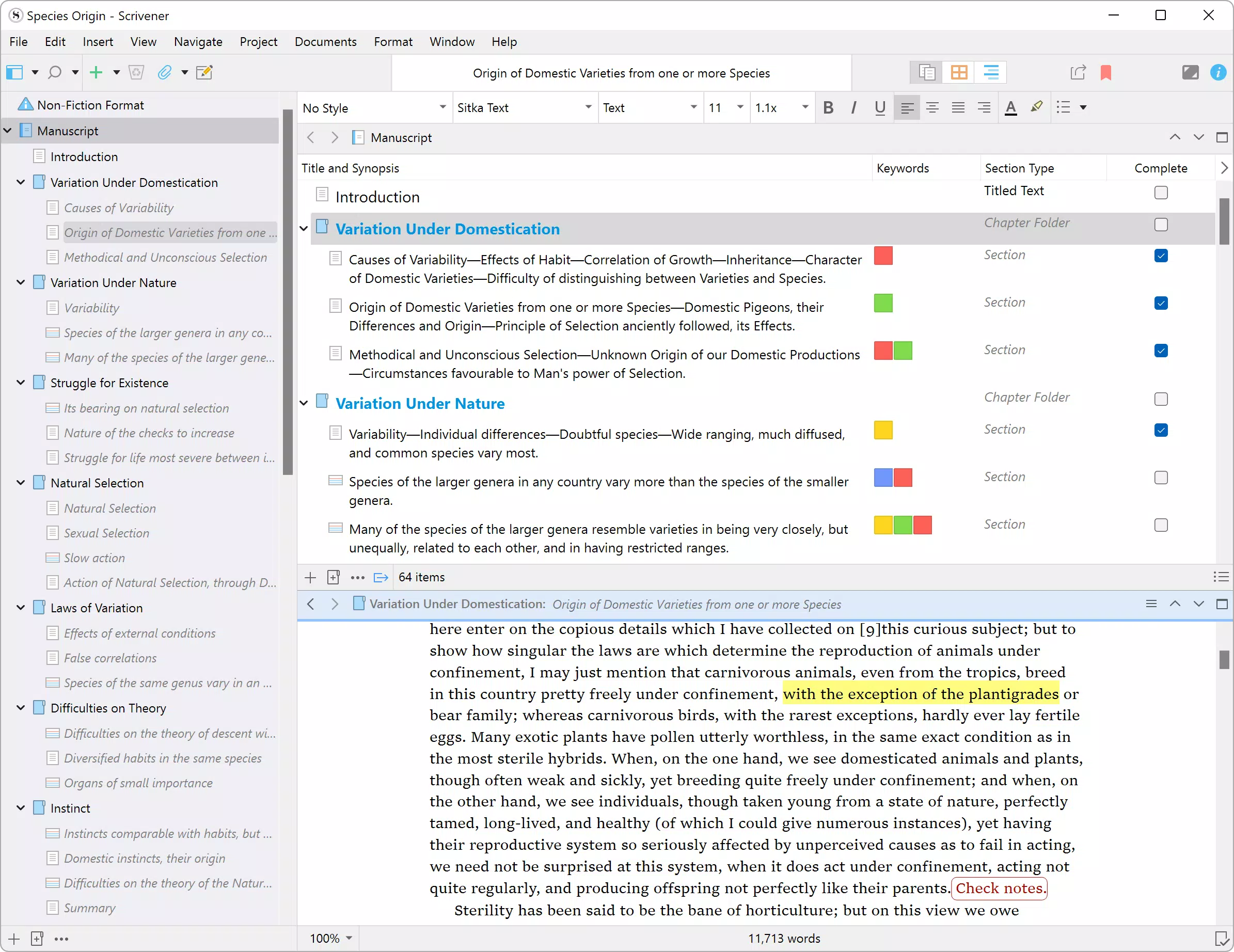
- Customizable Manuscript Structure: Scrivener allows users to divide their writing into sections of any size, supporting flexible project architecture. This feature enables writers to break down large manuscripts into manageable parts, such as chapters, scenes, or research notes, and rearrange them as needed.
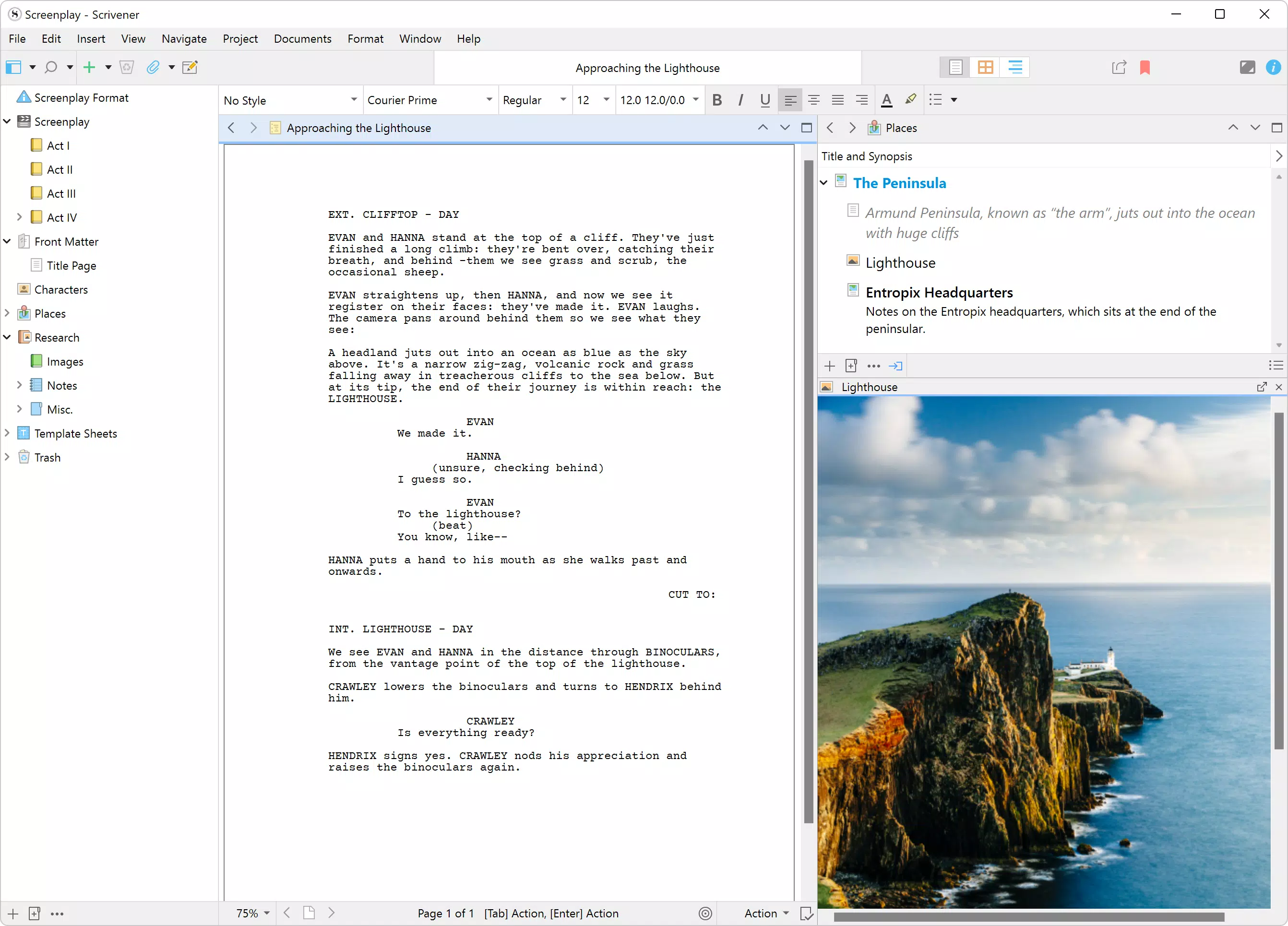
- Integrated Research Access: All research materials—such as PDFs, web clips, audio recordings, and reference documents—are stored within the project workspace. This ensures that writers can access supporting content without leaving the writing environment, reducing context-switching and maintaining focus.
- Drag-and-Drop Organization: Content can be restructured with simple drag-and-drop actions. Moving a chapter from one position to another, merging sections, or splitting content is intuitive and instantaneous, greatly enhancing the editing experience.
- Versatile Export Options: The app supports exporting to multiple formats, including ePub, PDF, Word, and HTML. Users can customize formatting settings for each export, ensuring compatibility with publishers, agents, or personal reading devices.
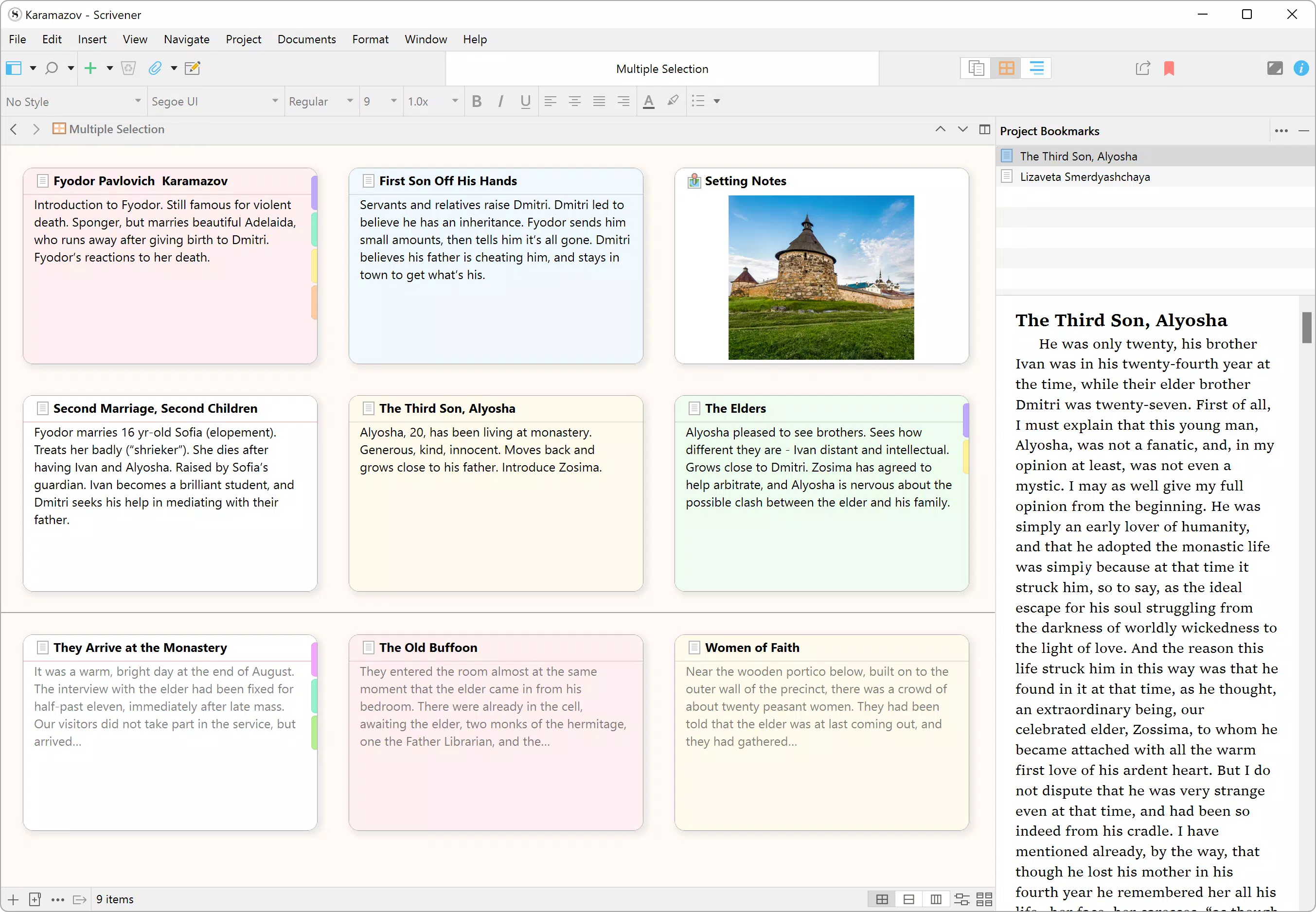
- Project Organization Tools: Scrivener provides a dedicated Binder and Corkboard interface, allowing users to view and manage their project components visually. The Corkboard feature is especially useful for writers who prefer a physical-like layout for planning scenes or story arcs.
These features collectively support real-world writing workflows. For instance, a novelist can draft scenes out of order, organize research in dedicated folders, and later restructure the manuscript using drag-and-drop. Similarly, an academic can compile sources, draft sections, and export a formatted document suitable for journal submission—all within a single environment.
Interface, UX & Performance
Scrivener’s interface is designed around a dual-pane layout, combining a project navigator with a dedicated writing space. The visual style is clean and functional, emphasizing usability over decorative elements. Navigation is intuitive, with clearly labeled sections such as the Binder, Corkboard, and Editor. Users can customize the layout to suit their workflow, including adjusting panel sizes and toggling visibility of various tools.
Interaction is smooth and responsive, with minimal lag even when handling large projects. Although the developer did not list formal performance metrics, the app maintains consistent responsiveness across different device categories, including tablets and high-resolution smartphones. The interface adapts well to touch input, making it usable on mobile platforms despite its desktop origins.
Stability is a strong point, with minimal reported crashes during extended writing sessions. The app handles file saving and versioning reliably, reducing the risk of data loss. While the developer did not specify minimum OS requirements, users can expect a stable experience on modern devices running supported operating systems.
Platform Compatibility & Technical Requirements
Scrivener is available on multiple platforms, including iOS, Android, Windows, and Mac. This broad compatibility ensures that users can access their projects across different devices, facilitating a seamless workflow whether working on a desktop or mobile device. The current version is 3.2.1, with a file size of 484.8 MB, indicating a feature-rich application with substantial functionality.
Specific technical requirements were not listed by the developer. However, given the app’s size and complexity, it is likely optimized for devices with sufficient RAM and storage. The app’s availability on both Android and iOS suggests it is designed to function on a wide range of mobile hardware, though users should ensure their device meets standard system requirements for running productivity applications.
Pros and Cons
- Comprehensive project organization with customizable structure
- Integrated research and reference management
- Effortless drag-and-drop content rearrangement
- Multiple export formats for publishing and sharing
- Supports diverse writing styles and workflows
- Price point of $49.99 may be high for casual users
- Steep learning curve for beginners unfamiliar with writing software
- Large file size may affect storage on low-capacity devices
- Mobile version may lack some advanced features available on desktop
- No free version—only a 30-day trial is available
FAQ
Is Scrivener available for free?
Scrivener offers a 30-day free trial but is not available as a free app. After the trial, users must purchase a license to continue using the software.
Can I use Scrivener on both Android and iOS?
Yes, Scrivener is available on both Android and iOS platforms, allowing users to access their projects across mobile devices.
What file formats can I export my manuscript in?
Scrivener supports exporting to a variety of formats, including ePub, PDF, Word (.docx), and HTML, making it suitable for publishing, sharing, or submission.
Is my writing data secure on Scrivener?
Scrivener stores project files locally on your device. While the app does not include cloud sync in the base version, users can manually back up files to external storage or cloud services for added security.
How often does Scrivener receive updates?
Regular updates are released to improve performance, fix bugs, and add new features. The latest version is 3.2.1, released on April 10, 2024.
Final Thoughts
Scrivener stands out as a powerful writing tool tailored for serious writers across various disciplines. Its ability to unify writing, research, and organization into a single, flexible environment makes it an essential utility for anyone working on long-form content. The app’s drag-and-drop editing, customizable structure, and export versatility empower users to write in their preferred style while maintaining professional output quality.
While the $49.99 price tag may deter casual users, the value it delivers to committed writers—especially those tackling novels, screenplays, or academic theses—is significant. The 30-day trial offers ample time to evaluate its capabilities and determine if it fits your workflow.
For writers seeking a robust, reliable, and adaptable writing platform, Scrivener offers unmatched functionality. Whether you're drafting your first novel or finalizing a research paper, this app provides the tools to keep your project on track.
Download Scrivener now


